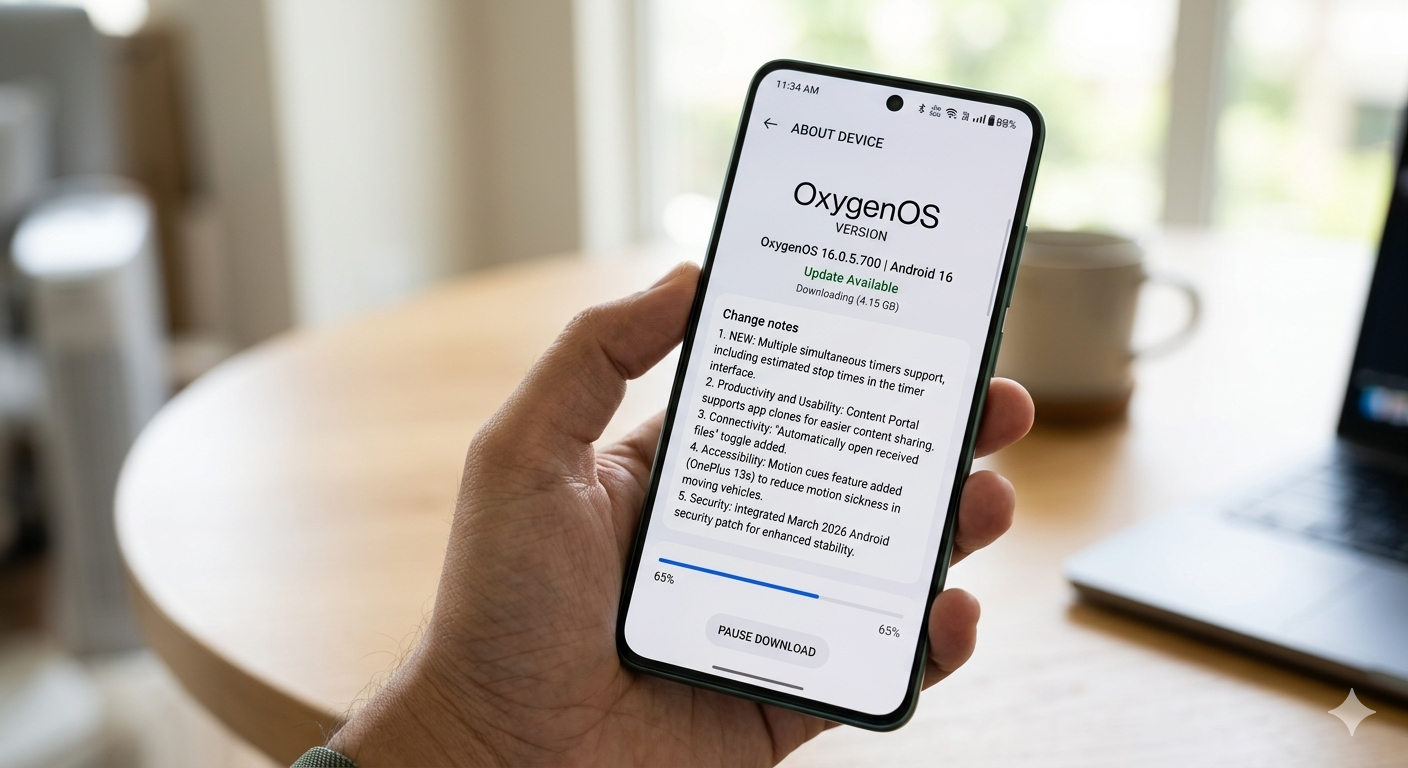
NEW DELHI: OnePlus has officially begun the phased rollout of the OxygenOS 16.0.5.700 update for its latest flagship models, the OnePlus 15 and OnePlus 13s, in the Indian market. The update is being delivered as an incremental over-the-air (OTA) package, initially reaching a select group of users before expanding to the broader population in the coming days. For the OnePlus 15, the firmware is identified as version CPH2745_16.0.5.700(EX01), while OnePlus 13s users will see version CPH2723_16.0.5.700(EX01).
Enhanced Productivity and UI Tweaks
The latest build focuses heavily on quality-of-life improvements. One of the most notable additions is the support for multiple simultaneous timers. Users can now manage several countdowns at once—ideal for multitasking across cooking, workouts, and work sessions. Complementing this, the timer interface now displays estimated stop times, providing a clear endpoint for each active task.
Furthermore, the Content Portal has been optimized to support app clones. This update allows users to share content more seamlessly between primary and secondary accounts (such as cloned social media or messaging apps), streamlining digital workflows.
Smarter Connectivity and Accessibility
OnePlus has introduced a new “Automatically open received files” toggle within the connectivity settings. This gives users granular control over whether files received through sharing services should launch immediately upon download completion.
Exclusively for the OnePlus 13s, the update brings a specialized accessibility feature called Motion Cues. Designed to mitigate the discomfort of motion sickness, this feature assists users who frequently use their devices while traveling in moving vehicles. It can be toggled via the “Accessibility & Convenience” menu in the system settings.
Read More: https://informal.pk/punjab-introduces-new-sops-to-ensure-transparent-examination-system/
System Security and Installation
Alongside the feature updates, both smartphones are receiving the March 2026 Android security patch. This integration ensures that the devices remain resilient against the latest security vulnerabilities while improving overall system stability.
As this is a staged rollout, the notification may not appear for all users immediately. Indian users can manually check for the update by navigating to Settings > About device > OxygenOS version > Check for updates. To complete the installation, a system restart is required once the download is finished.
About The Author